The Whole Route: Reference, Story, Render
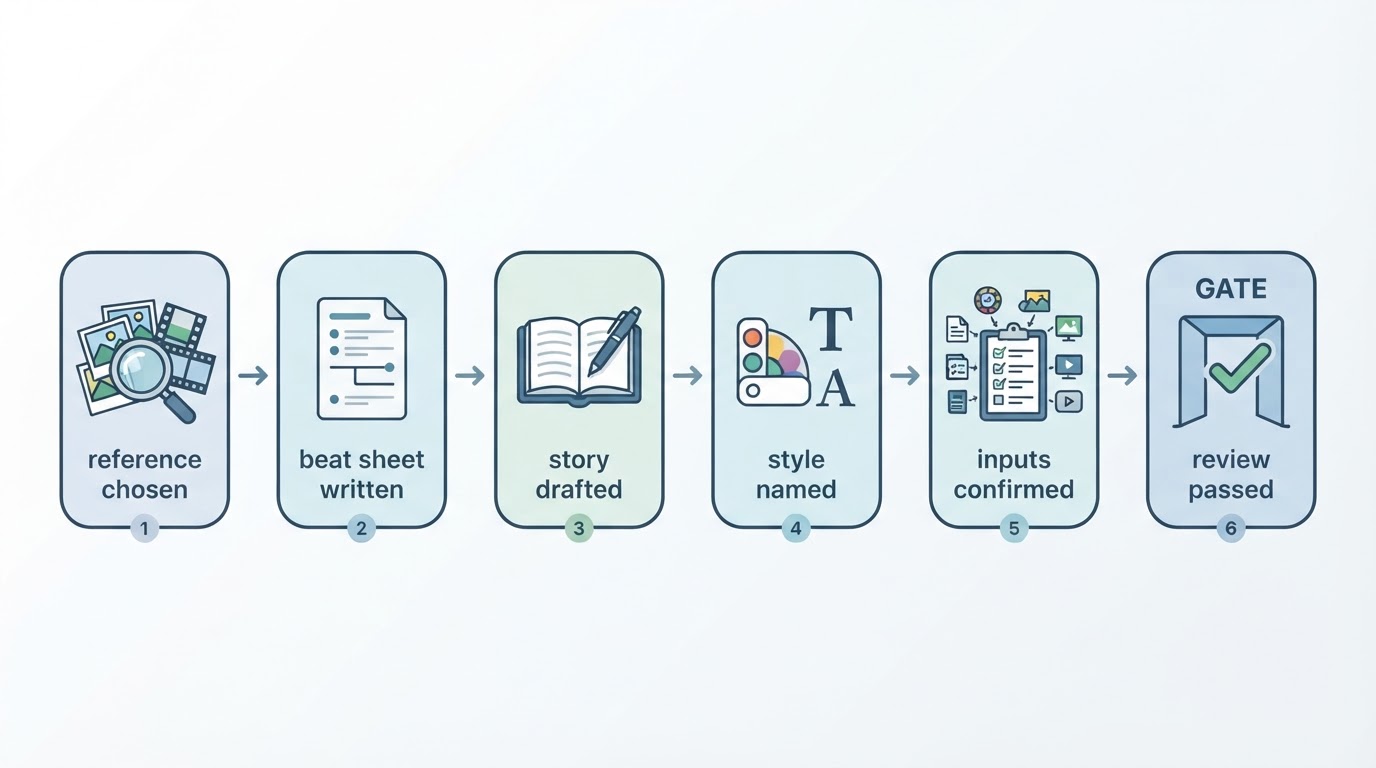
Most advice starts at the prompt box. That skips the two decisions that decide whether the result is yours: what you learned from a reference, and what story you meant to tell. A workable route has four handoffs, and each one produces something the next stage can use.
Stage | What you bring | What you leave with |
|---|---|---|
Study a reference | One short video you have the right to study | A beat outline: opening, shot order, timing |
Write the original story | Goal, materials, your own request text | Story text plus a shot-level brief |
Prepare the inputs | Reference, story text, visual style | A request you have reviewed, cost included |
Render and review | A submitted background task | A finished file, accepted or returned |
There are two seams in that table. Skip the brief and you end up prompting a mood instead of a story. Skip the review and you publish a cut whose captions describe a scene the footage never shows. Structure first, then decisions, then checks — in that order.
Read the Reference in Three Passes
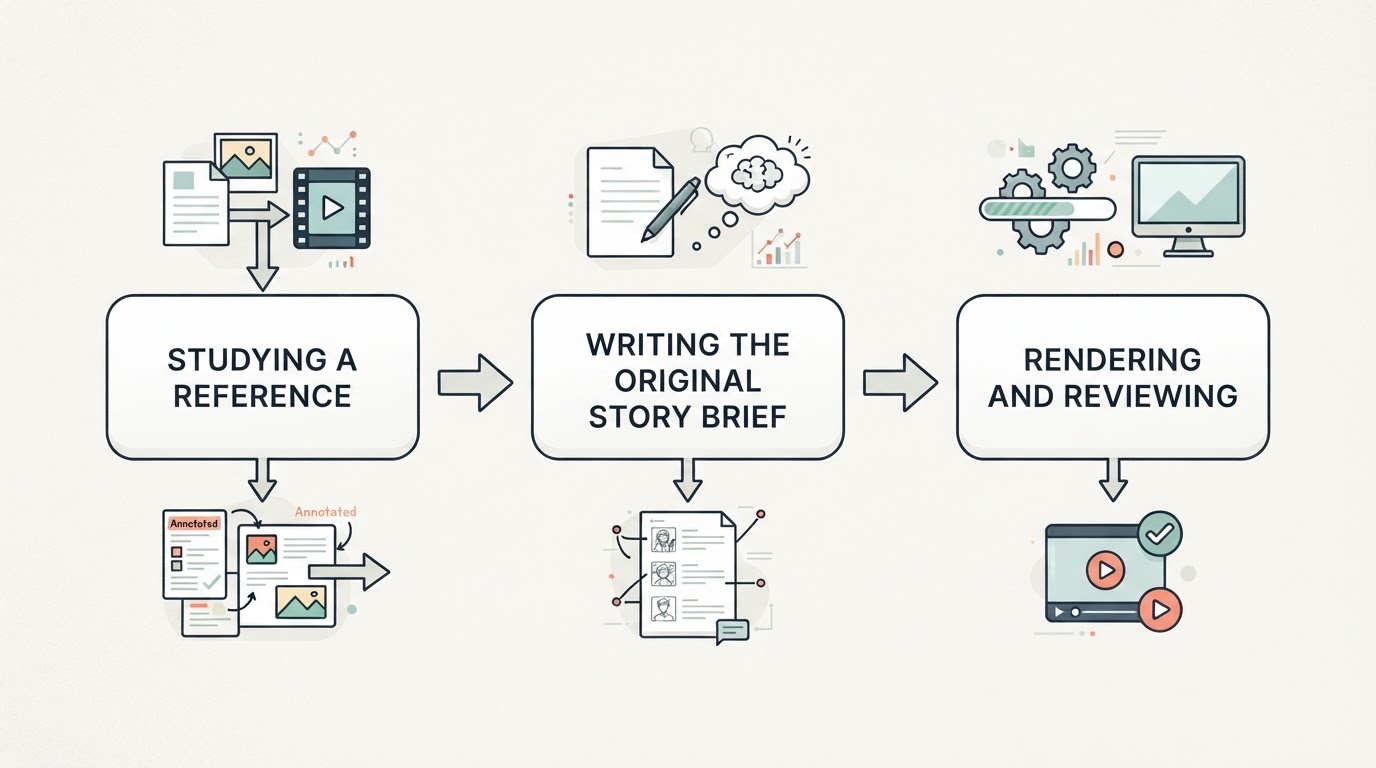
A reference is only useful once you can describe it without replaying it. Three passes get you there, and each one produces a different note.
Pass one, the opening. Watch the first two or three seconds with the sound off and write down what is already visible before anyone speaks: the frame, the subject, the promise. Ask what question the opening plants, because that question is what the rest of the video answers. If you cannot name it, the opening is doing decoration rather than work.
Pass two, the shot order. Play it again and list the shots in sequence, one line each, in the form "shot, what it reveals". This list is the skeleton you will reuse. You are recording the sequence of information, not the images: a reveal that arrives after two setup shots is a structural choice you can make in a completely different setting.
Pass three, the pacing. Play it a third time with a timer and attach timecodes to the beats: 0:00 for the hook, 0:12 for the complication, 1:14 for the payoff. A 45-second version of the same structure might read 0:00 the problem in one image, 0:12 the attempt that fails, 0:38 the result that resolves it. Timed beats are the part of a reference you can carry into an original video without carrying a single frame. When you later describe your own sequence in timed segments, you are borrowing rhythm, which is a principle rather than a property.
What a reference does not give you
Finding a video is not permission to use it. The U.S. Copyright Office states that using someone else's work generally requires permission from the copyright owner, and that there is no legal rule allowing a set number of words, notes, or a percentage of a work, so "I only used a few seconds" is not a safe assumption. It also notes that whether a use counts as fair use depends on all the circumstances. (U.S. Copyright Office)
The same page closes the loophole people reach for next: only the copyright owner may authorize a new version of a work, so you cannot claim copyright in someone else's work however much you change it unless the owner consents, and where a use is doubtful the Office recommends asking for permission.
Practically, that means three separate questions before you adapt anything: do you have the right to the footage, do you have the right to the music, and do you have permission from the people who appear? A popular clip answers none of them. Study the structure, keep the recording as research material, and build the visuals yourself.
Rewrite the Principle Before You Describe the Shot
A brief is not a prompt with more words. It is the document that lets another person — or another model — reproduce your intent. Three parts make it usable.
The goal. One sentence on what the viewer should know, feel, or do by the end. "A 40-second explainer that makes the price objection feel answered" is a goal. "A cool AI video" is not, and no amount of prompt detail rescues it.
The materials. What you actually have: the confirmed facts about the product, the location, the setting, the beat outline you extracted, and the permissions behind each of them. Materials are a constraint list, and writing them down first is what stops the model from inventing the rest.
The request. Shot-level text in your own words, with the beats and their timings, plus the review points you will check when the render comes back. If you cannot state what would make you reject the result, the brief is not finished.
Turn the outline into direction
Model vendors document the decisions that actually move a shot. Google DeepMind's guide to its Veo models advises specifying shot framing and camera motion, visual style, lighting, specific character descriptions, location, action and dialogue, and building a narrative with a clear beginning, middle and end. (Google DeepMind) Google Cloud condenses that into a five-part formula — cinematography, subject, action, context, and style with ambiance — and describes timestamp prompting, where actions are assigned to timed segments inside one generation so a multi-shot sequence keeps its pacing. (Google Cloud)
Use those as a checklist of decisions rather than a magic string. Different generators parse different syntax, and a formula documented for one vendor's model is not a standard for every tool. What transfers is the discipline: framing, subject, action, context, style and timing, each one a choice you make deliberately instead of leaving to the model.
Keep the first draft honest
The rewrite step is where a reference turns into either a derivative or an original. Change the setting, the characters, the specific objects and the resolution; keep the sequence of information and the timing. If a frame-by-frame description of your brief still looks like the reference, you have copied rather than adapted, and no disclaimer at the end of the video fixes that.
Prepare, Render, Review: The Three Gates
Between your brief and a publishable file sit three gates. Each one has a pass condition, and each one is cheaper to fail than the next.
Gate one: the inputs are complete
Meltica has two creation workflows. Businesses can start from a written request and add brand details for context, or choose an idea from their three-day calendar. Personal creators choose a reference from the library or upload a video, add their own idea and select a style. AI generates after you confirm the brief. (Meltica) Check the inputs required by your selected workflow before submitting. Personal creation requires a reference video; businesses can start from text.
Gate two: the render runs in the background
Generation is not instant. Runs that take 10 to 30 minutes depending on length and shot count keep working after you close the tab, so the correct behaviour is to submit once, note the task, and check its status before resubmitting anything. Two submissions of the same unclear run is how people pay twice for one idea.
Gate three: the review is real work
Watch the whole result with the brief open beside you, and check four things in order: does the story land in the shape you planned, do the captions match what is on screen, does the sound carry the beats, and is there anything in the frame you did not intend to show — a half-finished set, a logo you have no rights to, a hand entering from the side. Review is a pass condition, not a formality.
Know what the tools will not promise
Even with a good reference and a precise brief, recreation is not replication. In Meltica’s reference-based workflow, review the result rather than assuming it will match the reference’s dialogue, shot order, duration or visual details. (Meltica) Check continuity when reusing a style; matching characters and voices is not guaranteed. Direct generation from product images or product footage is not currently available in either the business or personal workflow. Review the complete video before publishing, and check the task record if a run fails before assuming a charge or submitting it again.
Reference to Learn, Story to Own, Review to Ship
That is the whole method in three beats: study a reference closely enough to describe its structure, write the story so the structure becomes yours, and review the render against the story you wrote rather than against the reference you admired.
The habit to carry out the door is smaller than a tool. A reference is a teacher, not a template. Learn the timing, write your own beats, and the video you publish is one you can explain.