What a faceless channel actually is
A faceless channel does not remove the work. It moves the work off camera and into preparation: writing, sourcing visuals, and reviewing the finished cut. There is no face carrying the episode, so the structure carries it instead.
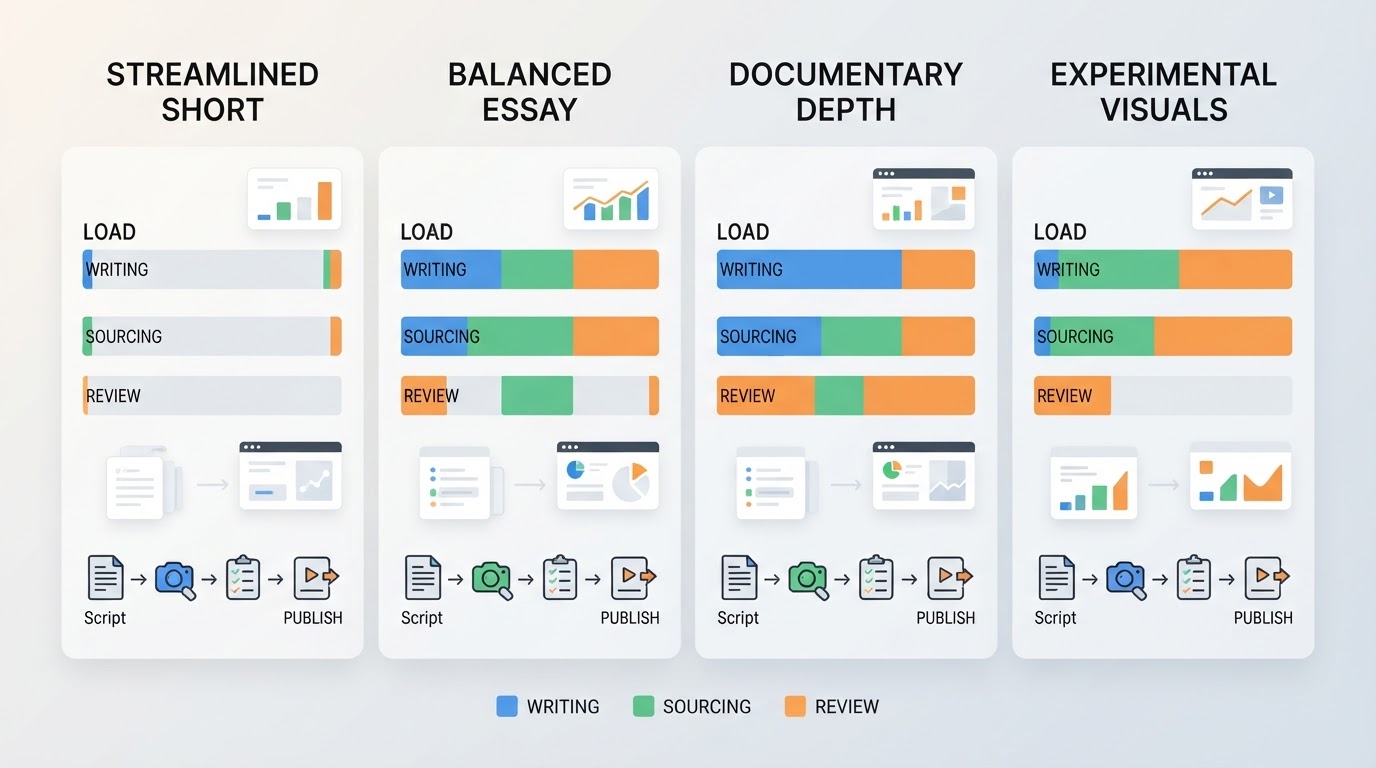
Four shapes cover most of the field, and each one fails for a different reason:
Format | What you actually produce | Ongoing load | Where it usually breaks |
|---|---|---|---|
Narrated story or explainer | Script, narration, B-roll or stills | Writing stamina; every episode needs a new script | A thin script is audible within ten seconds |
Screen-recording tutorial | A real product on screen plus your narration | Slowest to record; dependencies on live software | Software updates force re-recording |
Footage-led compilation | Licensed clips, an edit, and a voiceover | Rights clearance and catalog depth | Rights problems and a channel that looks like every other one |
Stylised or generated visuals | Art direction, a look, and consistent characters | Reference work and review on every episode | Characters, voices and framing drift between episodes |
Whichever you choose, the bottleneck is never the camera. It is how much writing and review time you can hold steady week after week.
Pick a promise narrow enough to repeat
Before format, decide what every video promises. A useful test: can you describe the next five episodes without hesitating? If the answer is a category rather than a promise, the channel is too wide.
Write two sentences and keep them visible while you work. The first names the viewer and the thing they will be able to do or understand after watching. The second names what you will not cover. That second sentence saves more time than any tool, because it kills the ideas that would fragment the channel.
Build an idea pipeline instead of hunting for ideas
Collect ideas in a batch, not one at a time. In one sitting, write ten candidate titles, then keep three. Filter each candidate with four questions:
- Can you state the payoff in a single sentence?
- Does a reference exist that shows the shape working?
- Will the answer still be true in six months?
- Is it small enough to finish in one video?
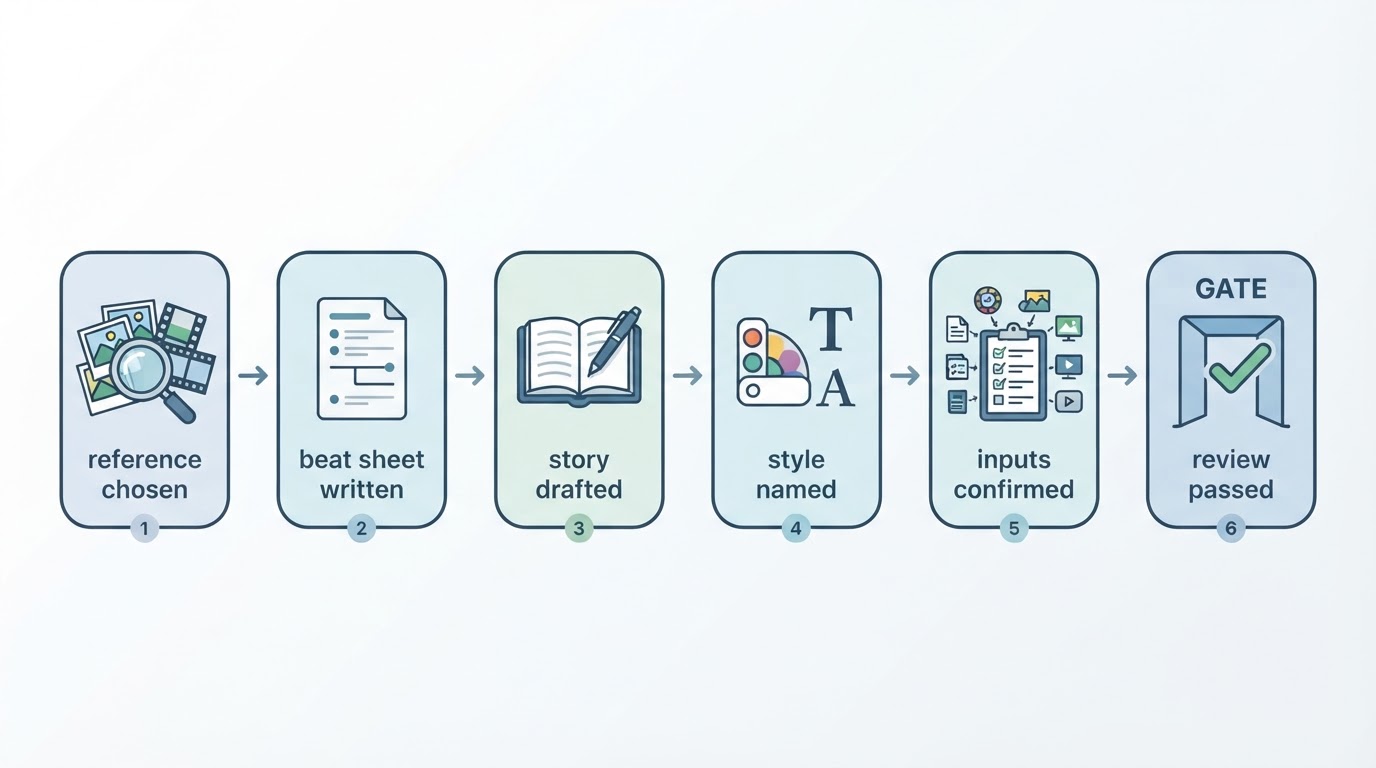
Keep a queue of at least six approved ideas before you publish the first episode. A queue is what makes a bad week survivable. When you approve an idea, record the reference you plan to study alongside it, so the next person to open the file — often you, three weeks later — knows what the episode is imitating structurally.
Write the script before you touch any visuals
The script is the episode. Everything after it is assembly.
A workable skeleton for a six-to-eight minute video:
- Hook, first eight seconds. State the problem or the stake in one line. No greeting, no channel intro.
- Setup, next fifteen to twenty seconds. Say what the video will resolve and what it assumes the viewer already knows.
- Body, three to five beats. One idea per beat, each with its own small payoff.
- The turn. The part that makes the episode worth keeping: the mistake, the constraint, the trade-off you did not expect.
- Close. One sentence that restates what the viewer now has. Then stop.
Budget words honestly. Spoken narration runs at roughly 140 words a minute, so a six-minute episode is about 800 to 850 words. If your draft is 1,400 words, you have written an eleven-minute video and should either accept that or cut two beats.
Write in spoken sentences and read every line aloud. Anything you cannot say in one breath is a sentence to shorten.
Turn the script into a shot list you can actually fill
Each beat gets one to three shots. For every shot, record four things: what appears on screen, how long it lasts, how you will obtain it, and what the viewer should notice.
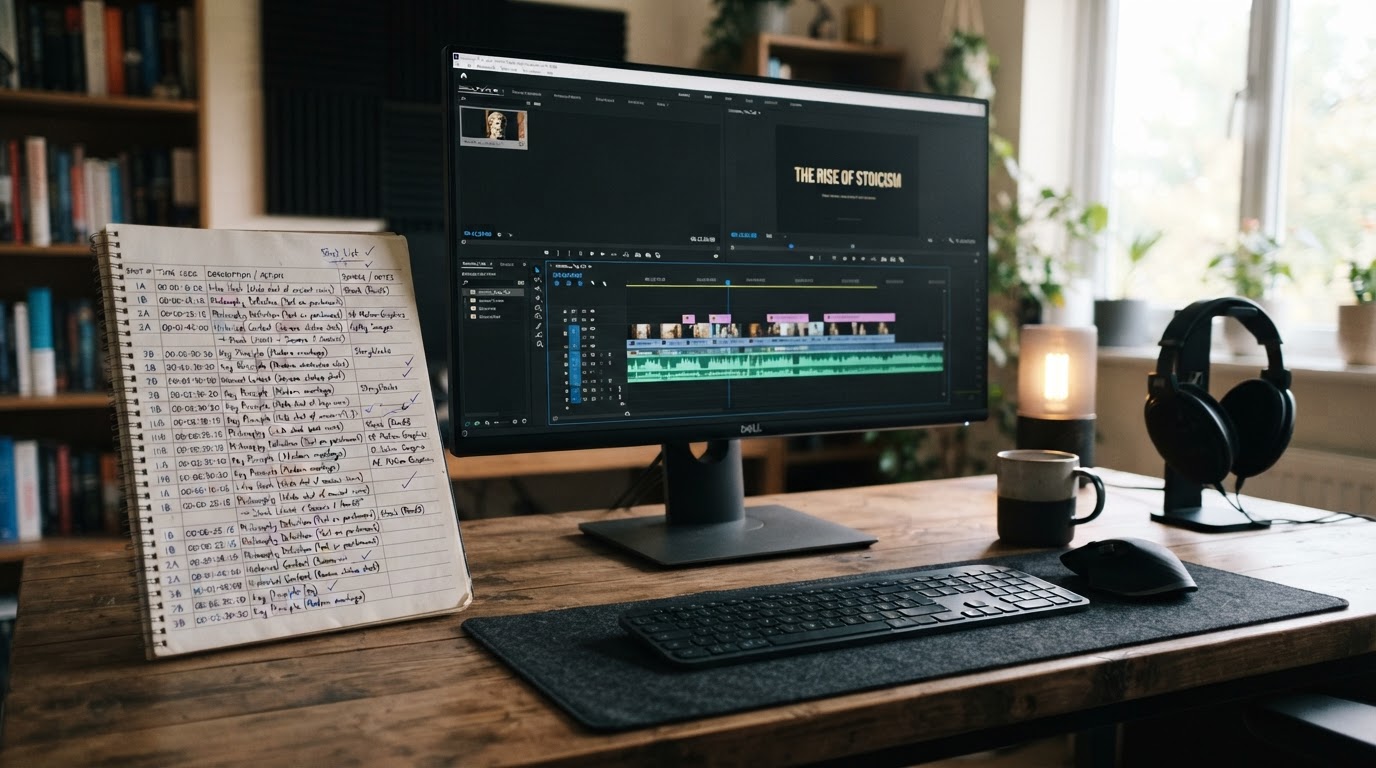
The fourth column is the one people skip. If you cannot say how you will get a shot — a screen recording you can capture, footage you have the right to use, a still you can animate, a visual you can generate — cut it there. Faceless productions rarely fail at the edit. They fail at a shot list that assumed footage you never had.
Collect or generate the footage, and record where it came from
Keep a source record for every clip: where it came from, what licence applies, and the date you checked. That single habit prevents the most expensive kind of rework, which is discovering after publication that you cannot prove you had the right to use something.
When you adapt a popular video, take structure — the opening, the shot order, the pacing — and write your own script. Do not reuse someone else's footage or audio. Copying the structure is study. Copying the footage is a rights problem.
Decide how the voice happens
There are three honest options:
- Your own voice. No camera required, and it is the cheapest trust you can buy.
- A hired voice. Predictable quality, but scheduling and cost per episode.
- A synthetic voice. Fast and repeatable, provided you have the right to use it.
One boundary worth stating plainly: voice cloning is not part of what Meltica offers, and any tool that imitates a real person's voice deserves a careful read of its terms before you build a channel on it.
Where a reference-first workspace fits
Meltica is one example of a reference-first approach, and it is worth knowing what it does and does not solve. It builds a complete short video from a reference video you can study, plus your own written story and one of the available visual styles; the reference defines the opening, the shot order and the pacing, while the story stays yours. A text prompt or a single still image on its own is not accepted as input.
Generation runs as a background task, so you can leave the page. Renders typically take ten to thirty minutes depending on length and shot count, and the task status is the authority on how long yours actually takes. Every video is reviewed and submitted one at a time, and recreation is not shot-for-shot — characters, voices and exact frames can differ from the reference. Generating product imagery or product footage from your own uploads is not part of the current offer.
That makes it a sensible fit if you already have references you trust and a script you are happy with, and a distraction if you do not. The earlier sections in this guide decide whether the tool has anything good to work with.
Run one review gate on every episode
Review is a checklist, not a mood. Keep it identical from week to week and timebox it to fifteen minutes, so reviewing does not quietly become re-editing.
Check | What passing looks like |
|---|---|
Hook | The first line names the problem within eight seconds |
Beats | Every planned beat is present, in order, near its intended time |
Audio | Narration is clear, nothing clips, music sits under the voice |
On-screen text | Nothing is cut off and everything is readable at phone size |
Rights | Every clip has a recorded source and licence |
Promise | The video answers what the title offered |
If an episode fails two or more rows, it goes back to the script, not to the timeline. Most weak episodes are writing problems that were visible before rendering started.
Publish deliberately, one video at a time
Publishing is a sequence of decisions, not a single button.
- Authorize the channel. Connecting an account through Google grants upload and channel-reading permissions. Connecting never publishes anything by itself, and access can be revoked when you are done.
- Fill the details per video. Title, description, audience setting and visibility are set individually. They are not inherited from the channel or from the previous upload.
- Submit explicitly. Nothing leaves the workspace until you confirm that specific video.
- Set visibility last. Publish as unlisted first if you want one more look on a phone, then change it.
If a platform step feels unclear, check the current documentation rather than a workflow you remember from a year ago. Upload screens and policy pages change.
Make the cadence survive a bad week
Pick a cadence you can hold on your worst week, not your best:
Cadence | What it demands | Good fit when |
|---|---|---|
One longer episode a week | One full script and one review cycle | You can protect a single writing day |
Two short episodes a week | Two scripts, one shared shoot or capture session | Your format reuses the same visuals |
One flagship every two weeks | Deeper research, heavier edit | Each episode needs sources |
Batch by stage rather than by episode: script two or three episodes in one session, capture all footage in another, review together. Never begin a new episode before the previous one has passed review — that is how a queue turns into a backlog of half-finished files.
When the week collapses, reduce scope instead of skipping. A five-minute episode with screen recordings and a tighter script still ships; a skipped week breaks the habit that the channel depends on.
What this workflow does not promise
None of this guarantees views, subscribers or revenue. Production discipline makes output predictable, which is the part you control; audience response is not.
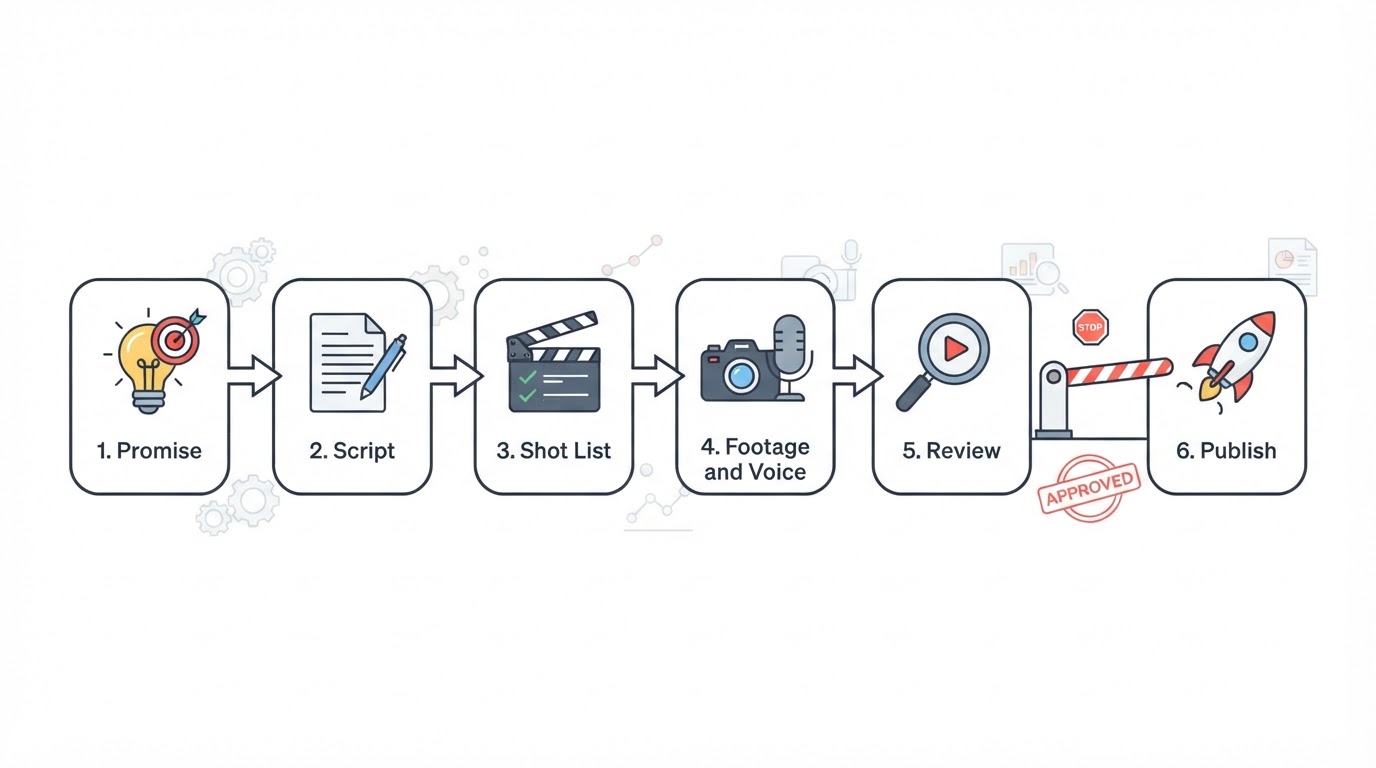
It also does not automate the channel. There is no schedule that runs itself and no batch that bypasses review. What you get is a repeatable sequence — promise, script, shot list, footage, voice, review, publish — that a single person can run without ever stepping in front of a camera.