Start with a reference you can use
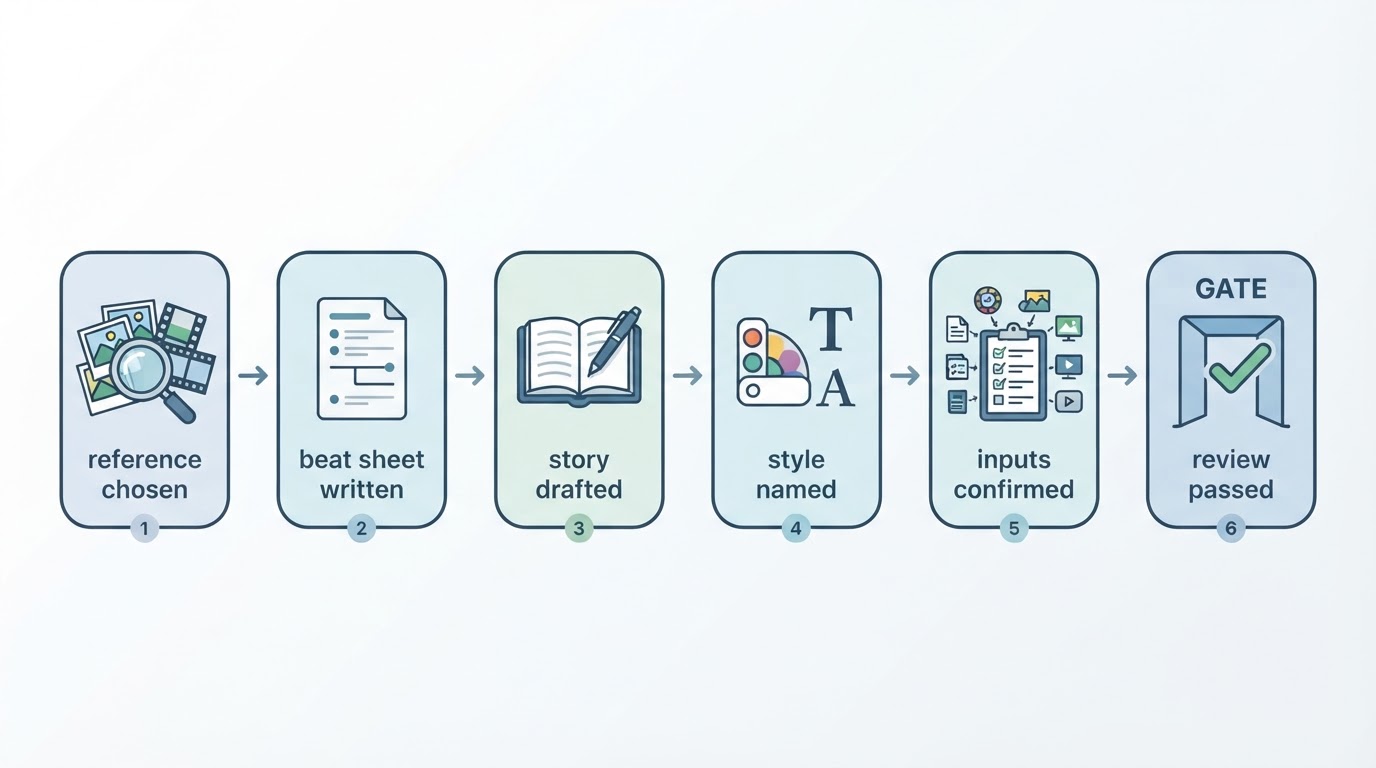
A useful reference gives you something concrete to study: an opening that raises a question, a sequence of shots, or a change of pace. In Meltica, personal creation currently starts with a video reference, such as an available topic video or a supported uploaded video. Text or a still image alone is not enough.
Before using any reference, check its source and your rights to the material. Studying an idea does not give you permission to reproduce another creator’s footage, music, characters or script.
Separate the structure from the subject
Watch the full reference once, then write down the job of each section. What makes the opening understandable? Where does new information appear? What does the ending resolve? Keep these structural observations separate from names, dialogue and imagery that belong to the original.
For example, a reveal near the end can inspire the structure of an original story about a missing key. Your subject, characters and ending should come from your own brief. A reference is a planning aid; it is not a promise of matching shot order, duration or output quality.
Describe an original story and choose an available style
Write the situation, the central action and the final reveal in plain language. Say what should change from the reference. Select a visual style that is actually available in your workspace. Reusing a style does not guarantee identical characters or voices across videos.
Open the workspace, sign in if needed, and review the selected reference, settings and displayed cost before submitting. Creation requires account access, credits and service availability. Merely opening the workspace does not start a generation task.
Review before downloading or publishing
Watch the complete result. Check whether the story makes sense, captions match the scene and details are suitable for your intended audience. Request changes where needed, then download a usable result. Generation does not publish a video.
YouTube supports explicit manual publishing after channel authorization, subject to permissions and service configuration. Other channels depend on the options shown in your workspace. Always review the final video and the rights to every input before publishing.