What Instagram actually allows in one Story slide
Stories are built for short slides, so Instagram applies a ceiling to each one rather than to your account. That single fact explains most of the confusion people run into when a two-minute clip "disappears" after a minute.
What you post | What Instagram usually does | What that means for planning |
|---|---|---|
Video recorded in the Story camera | Stops at the single-slide ceiling, which has been 60 seconds for years and was 15 seconds in earlier versions | Record in short takes, or accept the cut |
Video uploaded from your gallery | Either trims to the ceiling or posts as several back-to-back slides, depending on length and app version | Only predictable if you cut the file yourself first |
Photo slide | Advances on a fixed timer of a few seconds | Not a way to stretch total runtime |
A Reel shared into Stories | Appears as a sharing card that viewers tap, not as full-length story video | Keep the Reel as the long-form home |
Two caveats matter more than the exact number. First, Instagram changes these ceilings without much notice, and the in-app record screen and the official Help Center are the only sources that reflect today's behaviour — check them immediately before you plan a cut. Second, an automatic split is decided by the clock, not by meaning: it can break a sentence, a reveal or a punchline in the middle of a slide.
The trade-off is straightforward. Splitting an upload is the fastest route, and it is also the one that most often ruins pacing, because the break lands wherever the timer says. Cutting deliberately costs a few extra minutes and gives you control over where each segment ends.
Four ways to post a story past the limit
There is no hidden toggle that extends a single slide. What you can do is change how the long story is packaged.
Let Instagram split the upload
Pick the long video from your gallery and post it as a Story. If it exceeds the ceiling, the app will either shorten it to the limit or publish it as consecutive slides. This is the least effort and the least control: you do not choose the cut points, and you may not see all the resulting slides before they go live. It works for a continuous clip where every moment is roughly equal in value — a walk-through, a queue, a slow reveal — and it works badly for anything with a written punchline.
Cut the story yourself
Trim the full video into segments in whatever editor you already use, export each one under the ceiling, and post them in order. You keep the story's shape, you can hold a frame for emphasis at the end of a segment, and you know exactly what each slide contains. This is the only method that lets you put a deliberate hook on the end of a slide rather than wherever the timer happens to stop.
Post the long version as a Reel, then share it to Stories
Reels accept much longer runtimes than a Story slide, so the long cut lives there and the Story becomes a pointer to it. Share the Reel to your Story and viewers who want the whole thing tap through. This route suits a piece you expect people to finish in one sitting, and it changes the viewing contract: a Story is a glance, a Reel is a sit-down. Confirm the current Reel runtime in the app before you plan around a specific length.
Keep the series reachable with Highlights
Stories disappear from the profile after 24 hours. If the split story is worth keeping — a launch sequence, a tutorial chain, a multi-part announcement — add the finished slides to a Highlight so later visitors can still watch the sequence after the daily slides are gone. That is a durability decision, not a length workaround, and it is the reason to plan the segments as a named set from the start.
Split the story by beats, not by the clock
If you only take one idea from this guide, take this one: segment boundaries belong at story beats, not at even time intervals. A beat is a change in what the viewer knows or wants.
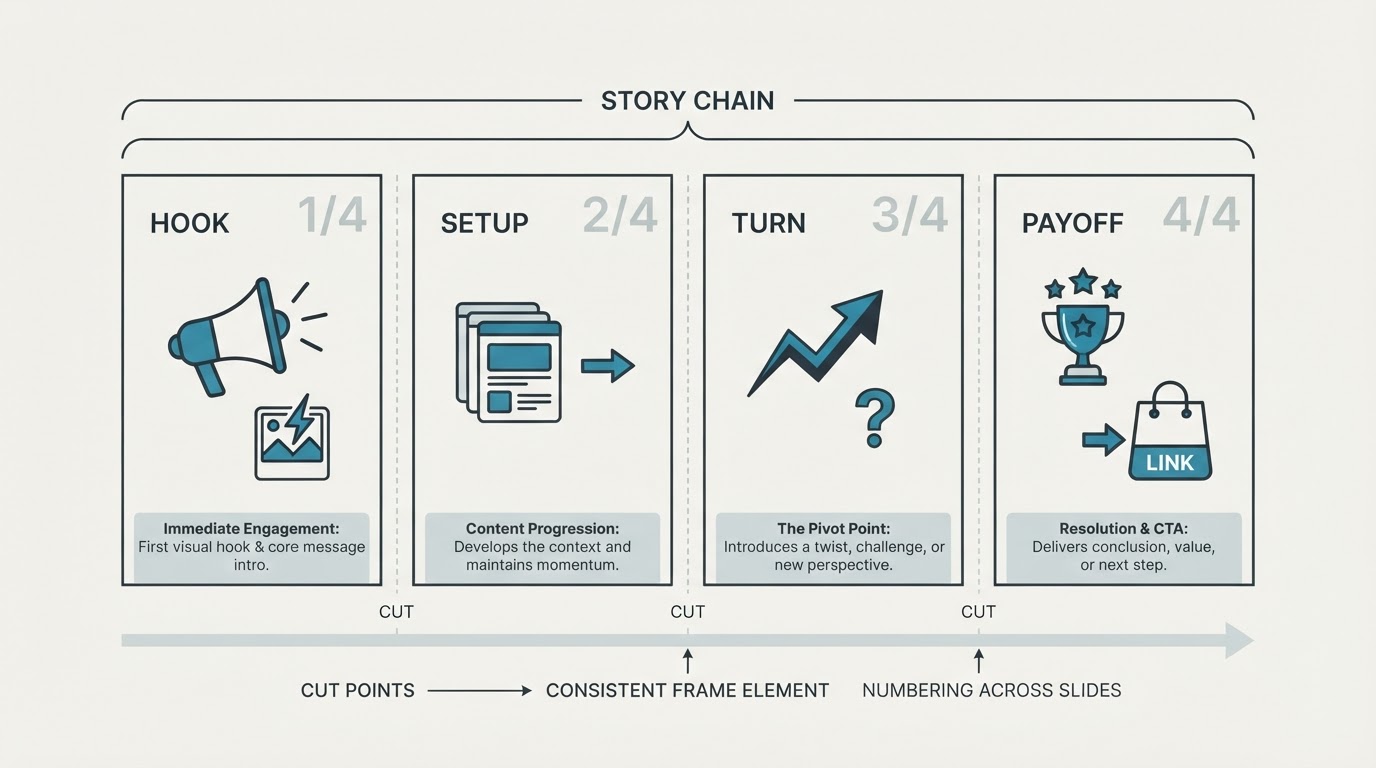
A simple four-beat shape works for most long stories:
- Hook (0 to 3 seconds): the one image or line that makes stopping worthwhile.
- Setup: the situation, stated once, without backstory.
- Turn: the thing that changes — the problem, the discovery, the interruption.
- Payoff and hand-off: the resolution, followed immediately by a reason to keep watching.
Now map your footage onto those beats. A two-minute story often lands naturally as four segments of roughly 25 to 35 seconds, but the lengths should follow the content: a 6-second reveal can deserve its own slide, and a single 50-second setup can stay whole. When you finish, read only the last two seconds of each segment and the first two seconds of the next one. If the join is confusing without the surrounding context, move the cut.
Write the beats down before you open the editor. Even three lines is enough, and it turns cutting into a mechanical job rather than a creative decision you make four times in a row.

Design each segment so viewers keep going
Story viewers tap forward constantly, so each segment has to earn the next tap.
- End on an open loop. The last frame of a segment should raise a question the next slide answers. Ending on a finished thought invites the tap.
- Number the set visibly. A small "1/4", "2/4" mark tells viewers this is a sequence with an end, which is the main reason people stay to the last slide.
- Hold one constant frame element. The same caption bar, corner label, colour strip or title position across every segment makes the set read as one piece instead of four unrelated posts.
- Front-load the payoff in the first segment. The strongest image belongs in slide one, not in the final slide where fewer people will see it.
- Keep text inside the safe area. Story text near the top or bottom edge can be covered by profile chrome or by reply controls, and a cut that moves the text will expose it.
If a segment can be understood with no knowledge of the others, it is a fine standalone Story. If it can only be understood as part of the set, the numbering and constant frame element have to do that work explicitly.
Post in order, and know what still happens inside Instagram
Cutting happens wherever you like; publishing happens inside Instagram.
Post the segments in sequence in one sitting, in order, and check the first one on a second account before you continue — playback, cropping and text placement can all look different from the preview. Instagram does not offer native scheduling for Stories in the app, so a timed release means returning to post manually. Whether you keep the slides published, or delete and repost a corrected segment, is a decision you make in the app: no external tool can publish, reorder or schedule them for you.
Plan the whole sequence to go out within the same window. A split story that stretches over hours loses the thread, because each slide competes with everything else in the viewer's day.
A quick pre-post checklist
- Confirm the current single-slide ceiling in the app or the official Help Center before you export.
- Every segment is under the ceiling with a few seconds of margin.
- Each segment ends on a hook; each hook is answered by the next segment.
- The set carries a visible numbering and one constant frame element.
- The strongest image is in the first segment.
- Text and captions sit inside the safe area on every slide.
- The sequence has been played back once, end to end, on a second account.
- The last slide tells viewers what to do next, and the set has a Highlight plan if it should outlive 24 hours.
Where a planning workspace fits
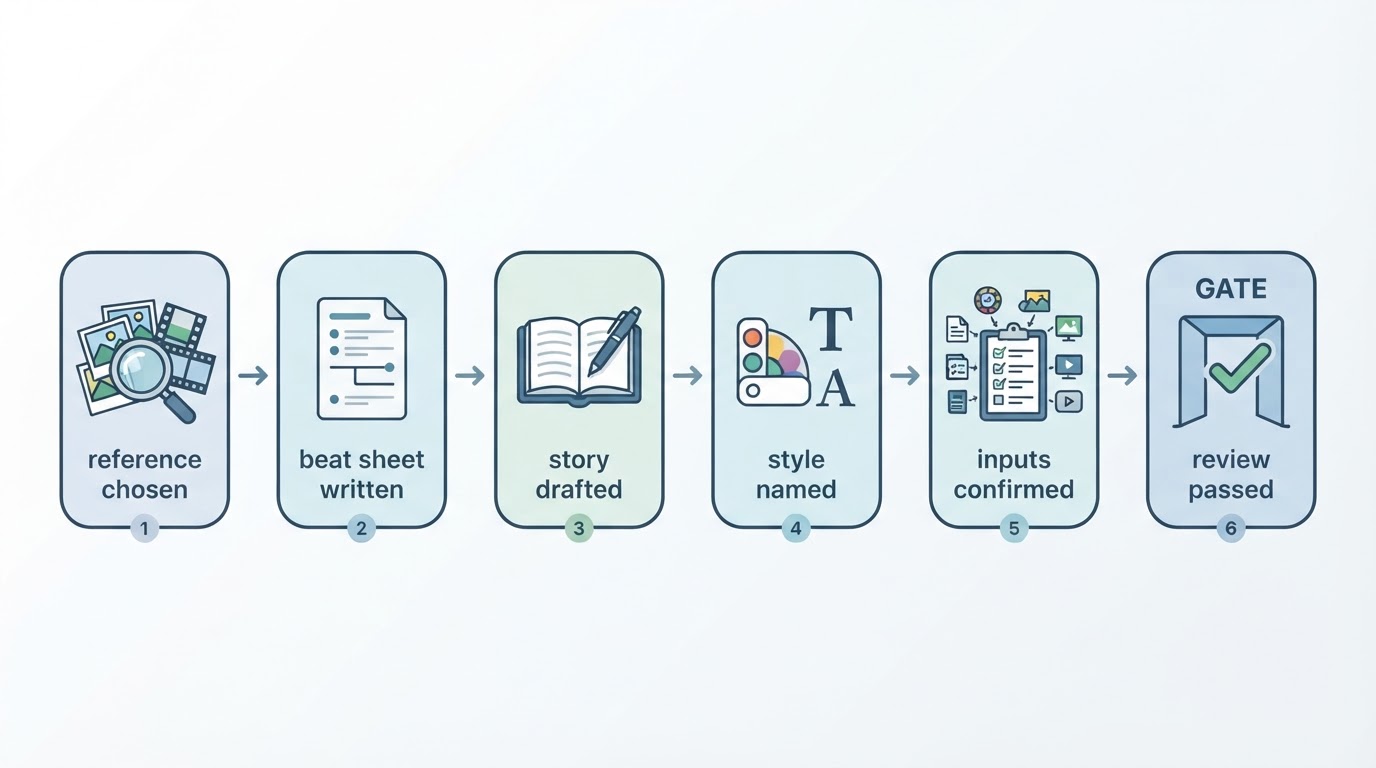
If you plan this kind of sequence regularly, a planning workspace is useful for the part that happens before the cutting. Meltica, a reference-first video workspace, documents series planning as connecting several videos under one subject and one visual direction, with each concept shown as a three-episode example. Its own documentation is explicit about the boundary: there is no automatic series production or scheduling, each episode is reviewed individually, and characters and voices are not guaranteed to match across episodes.
That makes it useful for organising a segmented narrative and deciding whether a story can carry several parts — and it leaves the actual Story publishing, where Instagram requires it, in the app.
Quick answers
Why did my Story stop at one minute? You hit the single-slide ceiling. The rest was either trimmed or published as a separate slide behind it.
Can I post a five-minute Story? Not as one slide. Publish it as a sequence of segments under the ceiling, or keep the long version as a Reel and share it into Stories.
Does deleting and reposting reset anything? It removes the slide from the sequence, and viewers who already tapped through will not see the replacement in place. Cut carefully the first time.