Start with the payoff sentence, then build a hook that promises it
A short has three jobs inside a very small window: stop the thumb, carry one idea, and give the viewer a reason to watch it again. Most unsatisfying shorts fail the third job, because the maker started with footage instead of an ending.
Write the payoff first, in one sentence, in the words a viewer would use. Something like: "the cheapest pan wins on one shot, and it is not the shot the reviews show." If you cannot write that sentence, you do not yet have a short; you have a topic. A topic is a subject. A payoff is a change in what the viewer knows or wants.
The hook then becomes mechanical rather than clever. The first frame has to set up the promise, and there are two dependable patterns. Show the result and withhold the work: a finished plate, a finished cut, a finished shot, held long enough to be read. Or state the premise on screen in fewer than eight words. What both patterns avoid is preamble — the greeting, the logo, the wide establishing shot that a scrolling viewer reads as "nothing is happening yet".
Plan the ending as part of the hook, not after the edit. On a phone, the swipe is a decision, and a loop that lands makes the second viewing feel deliberate. The cheapest way to get that: end on the same image, angle, or claim the video opened with, so the last beat flows into the first frame. The test is simple. Watch your cut twice in a row. If the second pass feels like a mistake, the ending is flat, and no amount of pacing fixes it.
Break one reference down for its structure, never its footage
Pick one short that works in your category, ideally one you can watch without wanting to copy its subject. Watch it three times, muted, and write down a different thing each time.
First pass, the opening: describe the exact first frame, what is legible in it, and how long it takes before the subject is clear. Note whether the promise arrives as an image or as text. Second pass, the shot order: timestamp every cut and write a one-line job for each — establish, prove, reveal, react, resolve. Count them. Third pass, the pacing: measure the gap between cuts, find the longest shot, and note where the video slows down relative to its payoff. Then watch only the last two seconds and describe how it closes or loops.
You now have a structural map: a sequence of jobs and durations. That map is the asset. Rebuild it with your own subject, your own beats, your own voice, and your own shots. This is where most reference work goes wrong — the maker copies the material as well as the skeleton, then inherits rights questions about footage, music, and likeness, and ends up with something that looks like a copy without carrying the reason the original worked.
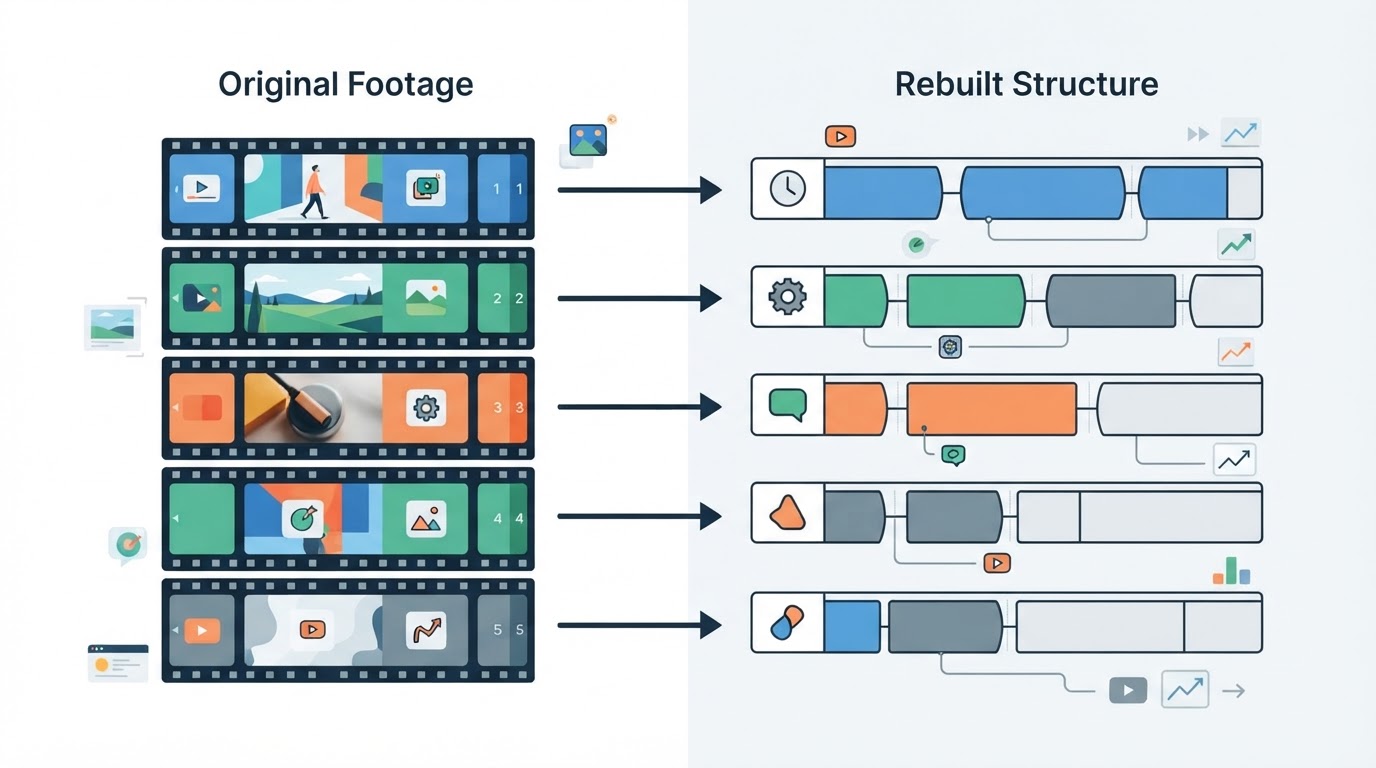
Write the map as a table you can reuse: timecode range, the job of the shot, and what the viewer must understand by the end of it. Five to eight rows is usually enough for a short.
Write a creation brief before you ask anyone, or anything, to build it
A brief is what turns that map into a request another person, editor, or generation tool can execute. Missing fields produce generic results, and then you cannot tell whether the idea was weak or the request was. Four blocks cover it.
Block | What to write | Why it saves a revision |
|---|---|---|
Goal | The payoff sentence, who it is for, and where it will be watched | Keeps every later decision pointed at one outcome |
Material | Your structural map, your own story beats, must-see objects, product facts, and what to avoid | Stops the build from inventing details you then have to remove |
Request | Vertical framing, target length, number of beats, style direction, whether narration or on-screen text carries the story, music treatment, caption language | Turns taste into parameters someone else can follow |
Review points | The specific things you will judge: hook clarity in frame one, beat count, ending loop, caption accuracy, detail accuracy | Makes the review a checklist instead of a mood |
Two extras are worth the minute they cost. First, state how the story ends, in one line, so nobody has to guess the resolution. Second, if the build is a paid generation, read the settings and the cost before you submit, because changing the story after a render usually means a second render.
Choose one visual style and plan around the wait
Style is a small set of decisions: palette, light, lens and framing, motion, and how text is treated on screen. Choose one set and hold it for the whole short. Mixed styles read as a compilation rather than a piece, and the viewer feels the seam even when they cannot name it.
If you are building without a tool, the style collapses into a shoot plan: location, time of day, light source, wardrobe, phone position, and a shot list derived from your map. One subject, one light direction, one framing distance is often enough for a short that reads as intentional.
If a tool is doing the build, pick from the visual styles it actually offers and put the rest of your direction in the brief. Expect the render to run in the background and to take minutes rather than seconds, so use the waiting time for captions, title variants, and your review checklist instead of watching a progress bar. Treat every returned result as a draft that needs its own review. Approving results without opening them is how wrong frames and odd hands reach an audience.
Review the finished cut the way a thumb will meet it
Watch in the phone-shaped player, vertical, sound off first, then sound on. Sound off tells you whether the visuals and captions carry the story on their own; most first views happen that way.
Check | Pass condition |
|---|---|
First frame | Subject is legible and the hook is visible before anything moves |
First two seconds | The promise is on screen, as an image or as text |
Beats | The cut has the number of beats your map called for, and nothing new arrives after the payoff |
Pacing | The longest shot sits where you want attention, not where the build ran out of material |
Last two seconds | Returns to the opening image or claim so the replay is intentional |
Captions | Two lines maximum, inside the safe area, names and numbers correct |
Sound | Voice sits above music, and no cut clicks or clips |
Unexpected details | Hands, background text, repeated shots, and objects that changed between shots |
Write the fix list as timecodes rather than impressions: the crop is too loose at four seconds, a caption crosses the face at eleven, the product shot at nineteen repeats the one at sixteen. Timecodes are what make a change request executable, and they are the difference between "make it better" and a second render that actually lands.

Run the technical check that decides whether it reads as a Short
A vertical short is watched inside a tall frame with interface on top of it. Keep on-screen text away from the outer margins, because the caption bar, the side rail of actions, and the channel line cover those areas on a phone. Put captions inside the same safe area, break them so each line carries one idea, and check them against the audio rather than against your memory of the script.
Sound deserves its own pass. Leave headroom rather than pushing levels to the top, because upload processing can turn a loud mix into a distorted one, and listen specifically at the cut points where music restarts.
Then confirm the two things tutorials get wrong most often: the aspect ratio and the length limit. Vertical full-frame video fills the phone screen and is what the vertical feed expects; a letterboxed horizontal upload usually will not be treated as a Short. Length limits change over time, so check the current requirement in the platform's own help pages instead of trusting a number in a guide, this one included.
Publish it, and confirm the Shorts path before you rely on it
There are two practical routes, and both end with the same details filled in.
From the phone: open the app, use the create control to start a Short, record or import your finished footage, add sound and text, then set the title, audience, and visibility before uploading.
From a computer: upload the vertical file in the studio interface, then check that it actually appears as a Short rather than a regular video. Fill in title, description, audience, and visibility, publish, then open the result in a phone-sized view and confirm it plays full screen, vertically, at the length you set.
Where a workspace handles the last step, its scope is worth reading before you rely on it. Meltica, a reference-first video workspace, lists a YouTube publishing capability in its approved product evidence: it can publish a finished video to the creator's own YouTube channel after Google authorization, and each video is submitted explicitly after you review the title, description, audience, and visibility. Connecting a channel does not publish anything on its own, the access requested covers uploading the videos you select plus reading channel information, upload status, and available video statistics, and the connection can be disconnected at any time. That evidence also notes availability depends on account access, site configuration, and Google approval. If any of that does not match what you see in your account, use the manual route above; the judgment is identical, you just enter it by hand.
The completion standard
You are done when all of these are true, and not before.
Standard | What it looks like |
|---|---|
Payoff is writable in one sentence | You can say what changes for the viewer after watching |
Hook is visible in frame one | No preamble before the promise |
Beats are counted | The cut matches your structural map, with nothing added after the payoff |
Brief is complete | Goal, material, request, and review points are all written down |
Preview passes the phone test | Vertical, sound off first, loop tested twice in a row |
Captions and sound are clean | Inside the safe area, above the music, no clipping at cuts |
Rights are clear | Footage, music, and likeness are yours to use |
Shorts classification is confirmed | The upload appears as a Short and plays full screen vertically |
Fix list is empty | Every timecoded note from the review has been resolved or consciously accepted |
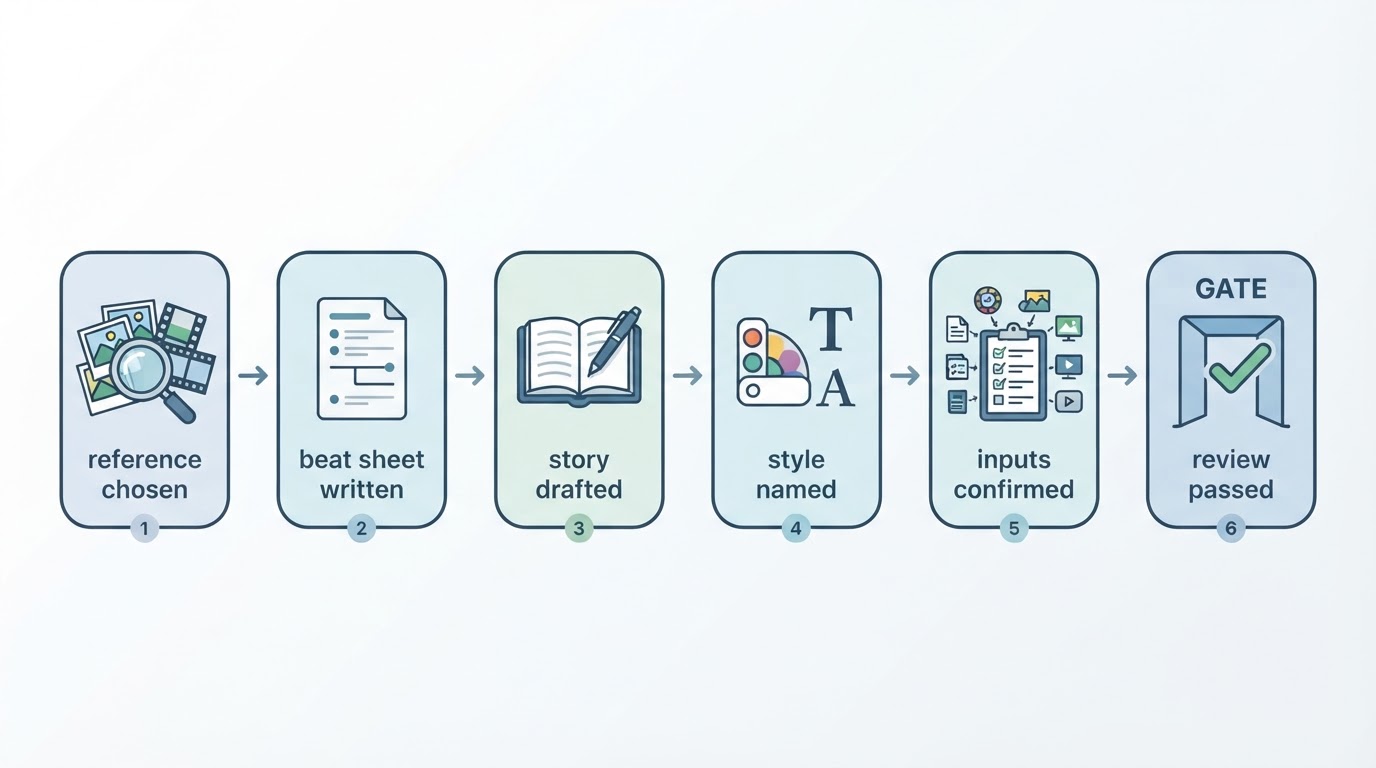
Most of the work here happens before a single frame exists: the payoff sentence, the structural map, and the brief. The render is the part that gets attention, but it is also the part that only reflects the decisions above it. Get those three right and the review becomes a short list of technical corrections rather than a rebuild.