Plan for a tall frame, not a wide one
A Facebook Reel is watched full screen on a phone, in a tall window roughly 9:16. That shape decides everything before you record anything. A wide two-person shot loses both people. A logo in the corner gets clipped. Text placed near the bottom competes with the app's own buttons and captions.
Set three habits now and the rest of the process gets easier:
- Keep the subject in the middle third. Faces, hands and product edges should stay inside the central band so no safe area can cut them.
- Reserve the upper-middle band for text. Captions and short labels survive there whether the viewer holds the phone in portrait or watches in a feed preview.
- Leave the bottom fifth clear. Anything you put there risks sitting under interface chrome the viewer cannot hide.
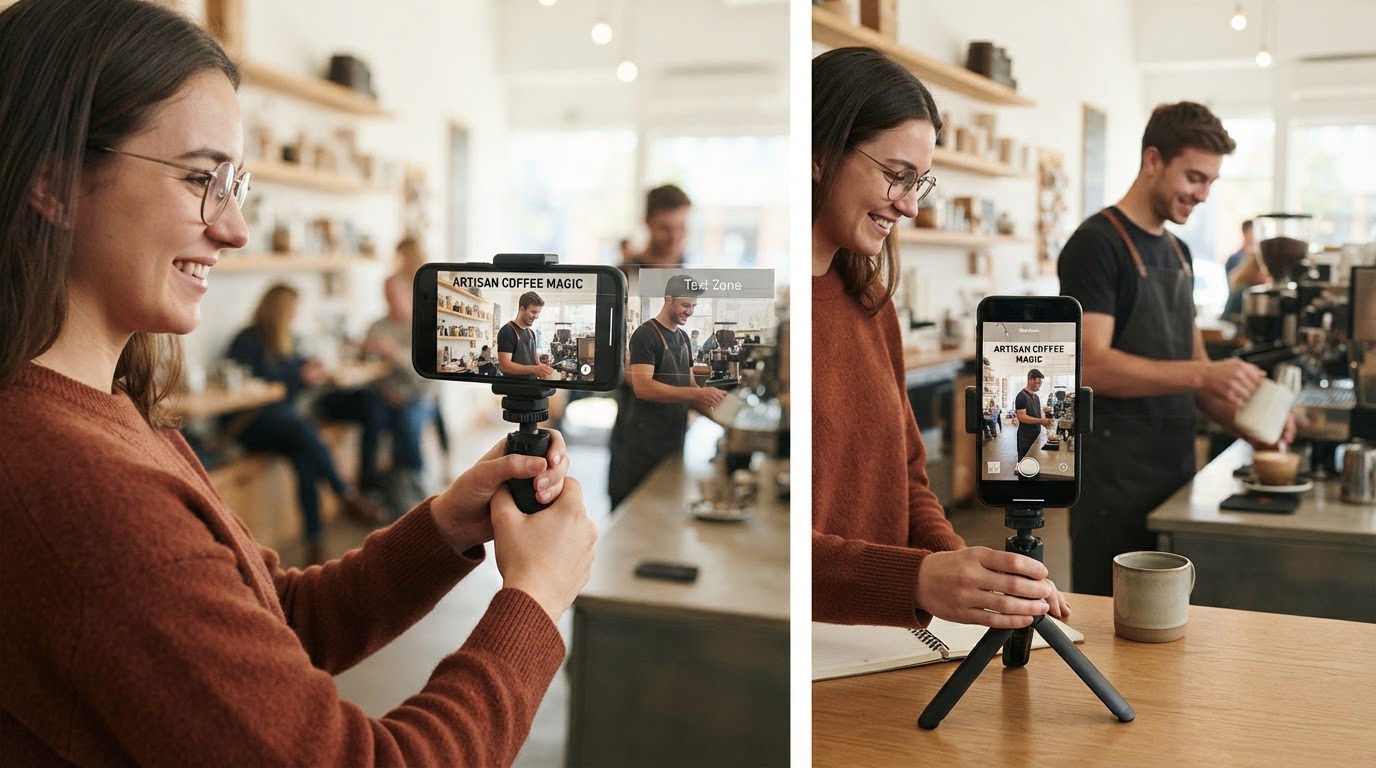
One more constraint shapes the edit: most people meet a Reel in a feed or in a short-video surface, at arm's length, often with the sound off for the first moment. Design for that viewer first. Treat sound as a second layer that rewards the people who turn it on, not as the only place your story exists.
Make the first second readable without sound
The opening frame is a reading test. If a stranger cannot tell what the video is about from one paused image, the rest of the work is invisible.
Three openings that survive a muted first frame:
- A mid-action frame. Start in the middle of the task, not before it. Hands already moving, the object already in place, the result already half-visible.
- A visible contradiction. Something in the frame does not belong together. A tidy desk and a smashed plate. A finished cake beside an empty box.
- A one-line promise in text. Six words or fewer, placed in the upper-middle band, stating the specific thing the viewer will see by the end.
What the opening must not be is a title card, a logo animation, or a slow zoom out of nothing. Those read as an advertisement and give the thumb a reason to keep moving.
Record the hook as a complete take, at least two seconds longer than you think you need. You will trim the front in the edit, and the extra second protects you when the first frame lands mid-blink.
Give the ending a reason to come back
A Reel that ends on a clean, closed conclusion gives the viewer nothing to do. A Reel that ends one beat early gives them a reason to watch again.
Two reliable endings:
- The loop line. The final frame visually rhymes with the first one, so the replay feels intentional rather than accidental.
- The held detail. You show the result, but you leave out the one detail the viewer was waiting for, then name it in the last line of on-screen text.
Write the ending before you write the middle. Once the last second is fixed, every earlier decision has a target to aim at, and you stop padding.
Break down a reference instead of reposting it
The fastest way to learn the craft is to study a short video that already works, then build your own story on its skeleton. The distinction matters: you are taking structure, not material.
What to study | How to record it | What to leave behind |
|---|---|---|
Opening frame | Screenshot the first two seconds | The footage itself |
Shot order | Note each new camera angle in sequence | The original clips |
Pacing | Time each cut, then write the rhythm as a beat list | The music track |
Ending device | Describe how the last frame closes or loops | The creator's final line |
Ask three questions about the reference. Where does the first cut land? Which shot carries the argument? What is the last image, and what does it do to the viewer?
Republishing another creator's footage, voice track or script is a rights problem, not a shortcut. It also fails on its own terms: a copied hook sells someone else's promise, so the audience it attracts is looking for the person you copied. Copy the rhythm, write the sentences yourself, and the video belongs to you.
Write your own story in four beats
Four beats are enough for a short vertical piece, and they map cleanly onto a 20 to 40 second runtime.
- Situation. One sentence: who is here and what are they doing. Show it in a single frame.
- Turn. Something changes — a problem appears, a claim is tested, a tool is introduced.
- Payoff. The visible result. This is where the viewer's patience is repaid, so give it the clearest frame in the video.
- Return. A closing image or line that sends the viewer back to the opening.
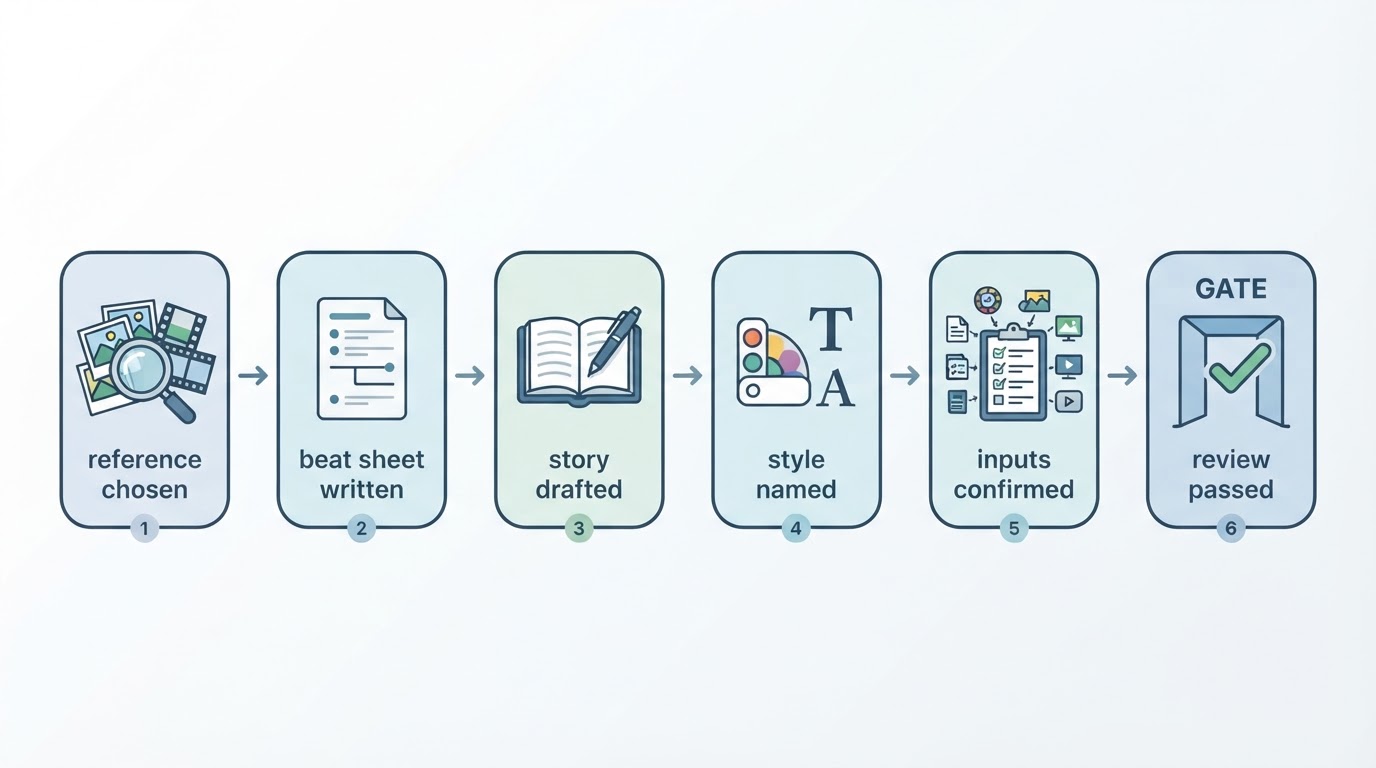
Write each beat as one row in a beat sheet: frame description, on-screen text, voiceover line, and approximate duration. Four rows, not forty. If a beat cannot be described in one sentence, it is two beats, or it is not needed.
Here is a filled-in skeleton you can adapt:
Situation: hands lay three printed photos on a table.
Turn: the fourth photo is a screenshot of a video that already worked.
Payoff: the same story rebuilt with new footage, side by side with the reference.
Return: back to the three photos, now in a different order.
That outline works with a camera, a phone and a free editor. It also works as a brief for a generation tool, which is the point: the story does the work, and the tool only decides how it looks.
Choose a style you can repeat
Style is a production decision, not decoration. Pick it after the story, against three questions:
- Does it fit the subject? A food demonstration wants texture and real light. An abstract explainer can carry illustration or 3D.
- Can you hold it across several videos? A saved palette, typeface and camera language make a series recognizable. Changing style every time resets that recognition.
- Does it survive small screens? High-contrast shapes and large type read at phone size; fine line work and small details do not.
One honest caveat that most style guides leave out: reusing a visual style does not guarantee identical characters or identical voices between videos. Treat continuity as a goal you check per video, not a promise the software makes for you. If a recurring character matters, plan a short consistency check of face, wardrobe and voice before you publish.
The no-tool path: shoot and cut it on your phone
You can complete the whole method with a phone camera and a free editing app.
- Lock the beat sheet. Four rows, each with a frame description and one line of text. Do not start recording until the rows exist.
- Record in portrait. Hold the phone vertically, tap to lock focus and exposure, and add light from the front or side rather than from behind the subject.
- Capture more than you need. Two takes per beat, each with a two-second pad at both ends. Extra frames are cheap; a reshoot is not.
- Record the voice separately. A quiet room and the phone's microphone close to your face beat any on-camera audio. Read the beat sheet, not the screen.
- Assemble in shot order. Trim the pads, cut on movement, and keep the first cut within the opening second.
- Add burned-in captions. Short phrases, upper-middle band, one idea per caption, no more than a few words on screen at once.
The completion standard for this path is simple: watch the finished file once with the sound off, then once with sound. If the story reads both times, the cut is done. If it only works with audio, the captions or the frames are carrying too little.
The faster path: one workspace for reference, story and style
The manual path is reliable but it costs a shoot, a voice session and an editing pass. A reference-first video workspace compresses those three jobs into one flow, and Meltica is built around that flow rather than around a blank text prompt.
The order of work stays the same, which is why the earlier sections still matter.
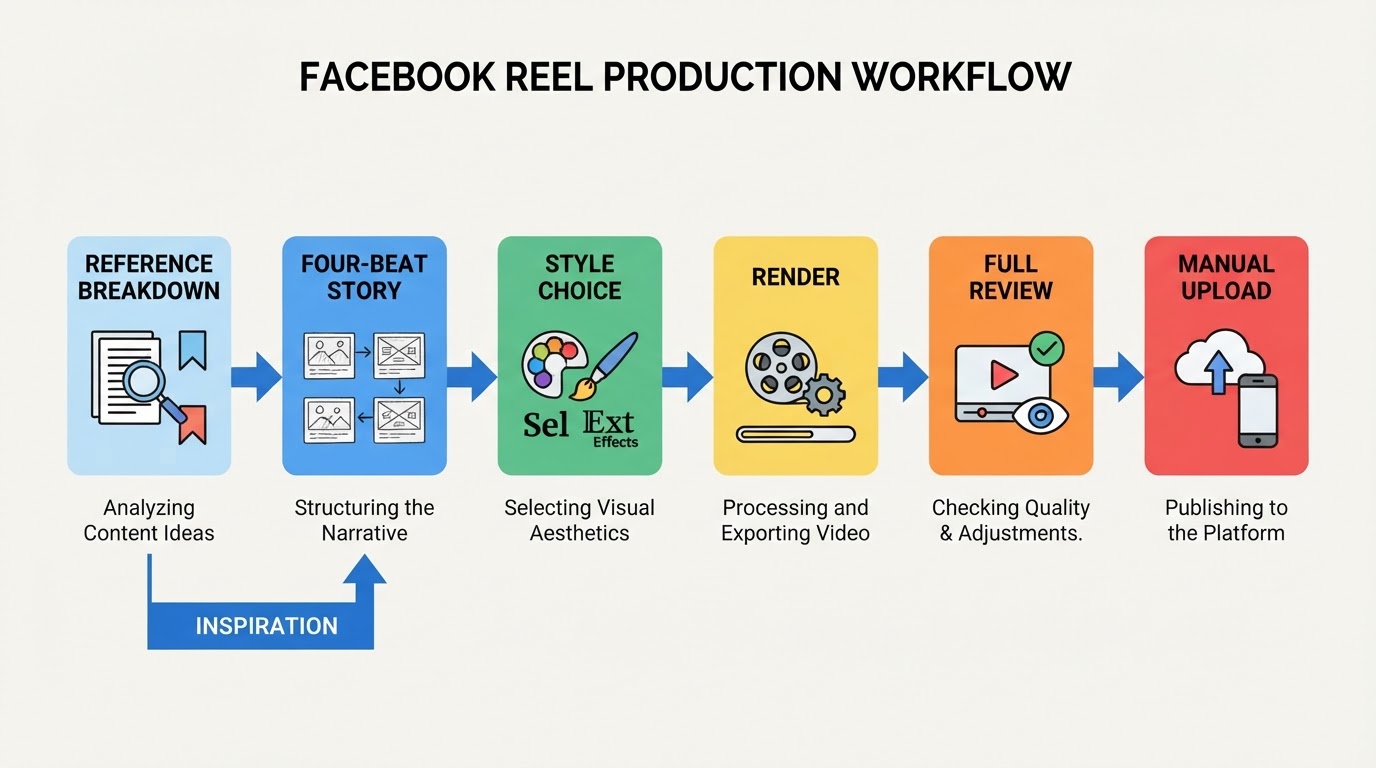
- Start from a reference you can study. The reference defines the opening, the shot order and the pacing; your own written story replaces the material. A text prompt or a single still image alone is not accepted as input, and arbitrary pasted video links are not supported, so choose from the available references.
- Write your own story into the brief. The four-beat sheet from earlier becomes the brief. This is where the original material enters, and where the rights question disappears.
- Pick a visual style from the library. Meltica offers a set of named style previews spanning filmed looks, illustration and 3D, selectable per video, and styles are saved and reusable across later videos. Reusing a style does not guarantee identical characters or voices between outputs, and style availability depends on workspace and account configuration.
- Review the request, inputs and cost before submitting. Each submission asks for that explicit check, so a wrong reference or a wrong style costs a minute instead of a render.
- Let the render run in the background. A complete short video typically takes on the order of ten to thirty minutes depending on length and shot count, and you do not need to keep the page open.
- Review the finished video in Projects. The run is tracked as a task with a status you can return to, you can request changes on a specific detail rather than starting over, and you download the usable result when it is right. Failed runs are not charged points.
Two limits are worth knowing before you rely on this path. Reference recreation does not guarantee shot-for-shot reproduction or matching characters and voices, so plan a review pass rather than assuming fidelity. And product-image or product-footage generation is not offered, so a video that must show the real product still needs a real shot of it.
Used this way, the workspace is a shortcut through production, not a replacement for the story decisions above. The beat sheet, the hook and the ending are still yours.
Review the entire video before you export
Open the finished file at full length and watch it the way a stranger would — once, start to finish, without pausing to fix things.
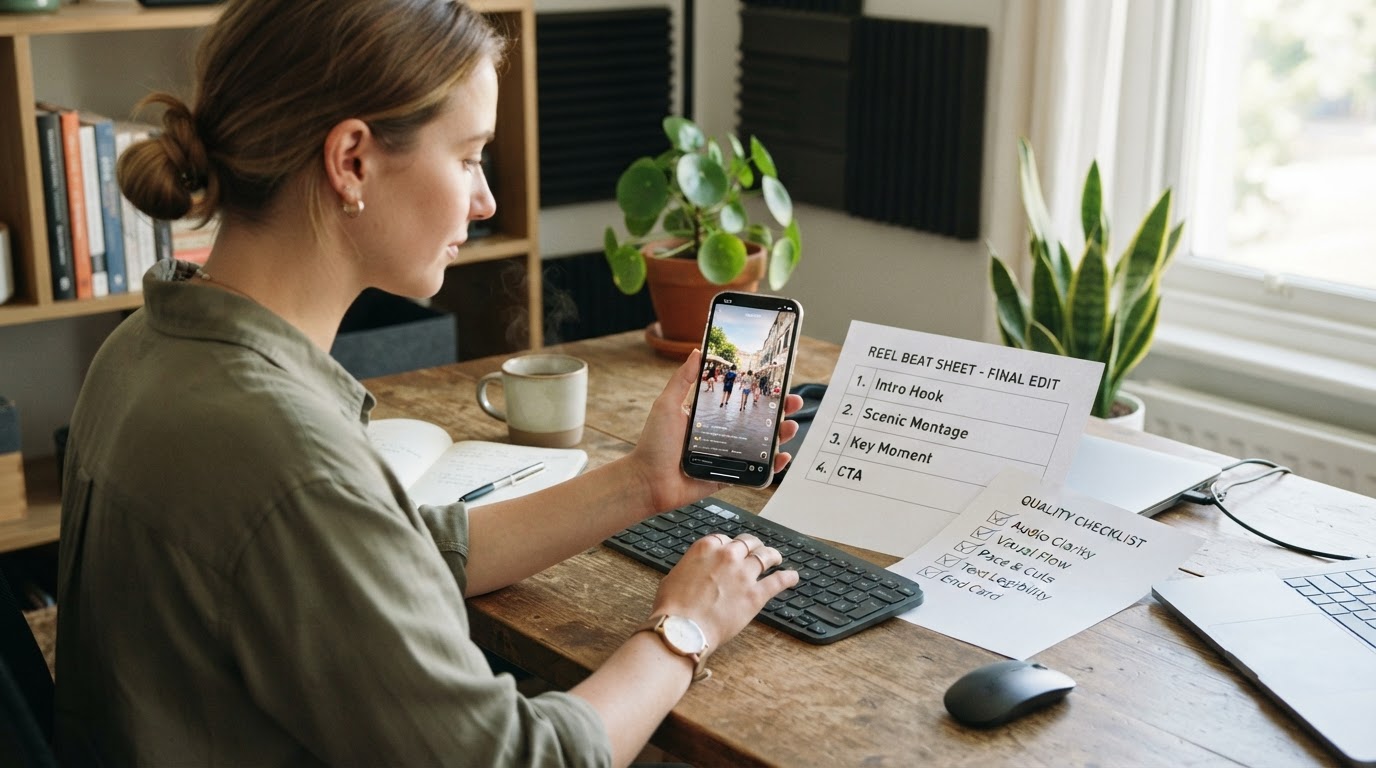
Check in this order:
- Story. Can you state the situation, the turn and the payoff after one viewing?
- Captions. Read them at arm's length. Do they fit the safe band, and does each one last long enough to finish reading?
- Sound. Voice level constant, music never covering the words, no clipped peaks.
- Motion and detail. Hands, mouths, text inside the frame, background clutter, anything that reads as an accident rather than a choice.
- Continuity. If a character or style repeats from an earlier video, compare the two side by side.
- First and last frame. Pause on each. The opening must be readable muted, the closing must invite the replay.
Fix one category at a time. Re-rendering or re-editing after every note is how a two-hour project becomes a two-day one.
Finish the export for Facebook
Export a vertical file at 1080 by 1920, H.264 in an MP4 container, 30 frames per second, with a high bitrate. Keep the finished length inside the limit shown by the uploader at the moment you publish, since platform limits change and an over-length file wastes a whole review pass.
Three finishing details are easy to forget and easy to check:
- Cover frame. Choose a frame that reads as a still image, ideally the payoff or the hook. Do not let the platform pick a mid-blink frame.
- The seam. Confirm the first and last frames connect visually if you built a loop.
- File naming. Name the file after the beat sheet, not after the export date. You will look for it again.
Upload it to Facebook yourself
Publishing stays a manual step, and that is deliberate: the account decisions are yours.
- Open Facebook and start a Reel from the composer's create menu. Labels vary slightly between app versions and between mobile and desktop, so use the entry that offers a Reel upload.
- Select the exported file from your device.
- Trim only if the export was wrong. Do not re-cut in the uploader.
- Write a description that states the specific thing the video shows, then choose the audience you actually intend.
- Publish, then watch the result once inside Facebook to confirm the captions and the cover frame survived.
This guide stops at the published Reel. It does not cover paid promotion, page growth tactics or automated scheduling, and no part of the process above publishes on your behalf.
A completion standard you can check in one pass
A finished Reel passes four tests: the first frame reads without sound, the beat sheet's four beats are all visible, the captions are legible at arm's length, and the last second gives the viewer a reason to watch again. If all four hold and the file is vertical, high-bitrate and inside the current length limit, the work is done and the upload is the only step left.